GDPS Editor 2.2 APK is a free fan-made Geometry Dash level editor for Android. It gives you the full 2.2 editor on your phone, so you can build your own rhythm-platformer levels with blocks, triggers, portals and custom music, then playtest them right away. In this guide you will get the latest GDPS Editor 2.2 APK download, the full app details, the key features, and a step-by-step install guide that works on any Android phone.
Free direct download from apkcheers.io – no sign-up needed
GDPS Editor APK at a Glance
| App Name | GDPS Editor 2.2 APK (GDPS Editor 2.2 SubZero) |
| Latest Version | 2.2.12 (SubZero 1.4 build) |
| File Size | 144.5 MB |
| Requires Android | Android 4.4 and up |
| Package Name | com.gdpsedi.geometrydashsubzero |
| Developer | Geometry Dash Modders |
| Category | Games |
| Price | Free |
| Updated | 18 November 2026 |
| On Google Play | No, not listed |
What is GDPS Editor 2.2 APK?
GDPS Editor 2.2, short for Geometry Dash Private Server Editor, is a fan-made level editor for Android built around Geometry Dash. The build on this page is the SubZero variant, based on the free Geometry Dash SubZero game, and it opens up the 2.2 level editor that the official mobile game does not include. Instead of only playing ready-made levels, you can design your own stages from scratch, set the objects, colors, music and physics, and then playtest the result.
The app is made by community developers, known as Geometry Dash Modders, and it is not made, owned or endorsed by RobTop Games. It runs on its own, separate from the official Geometry Dash servers, so your official account, levels and progress do not carry over. What you get instead is a free sandbox for creators: the classic SubZero levels to play, including Press Start, Nock Em and Power Trip, plus a full editor to build and share your own ideas.
Key Features of GDPS Editor 2.2 APK
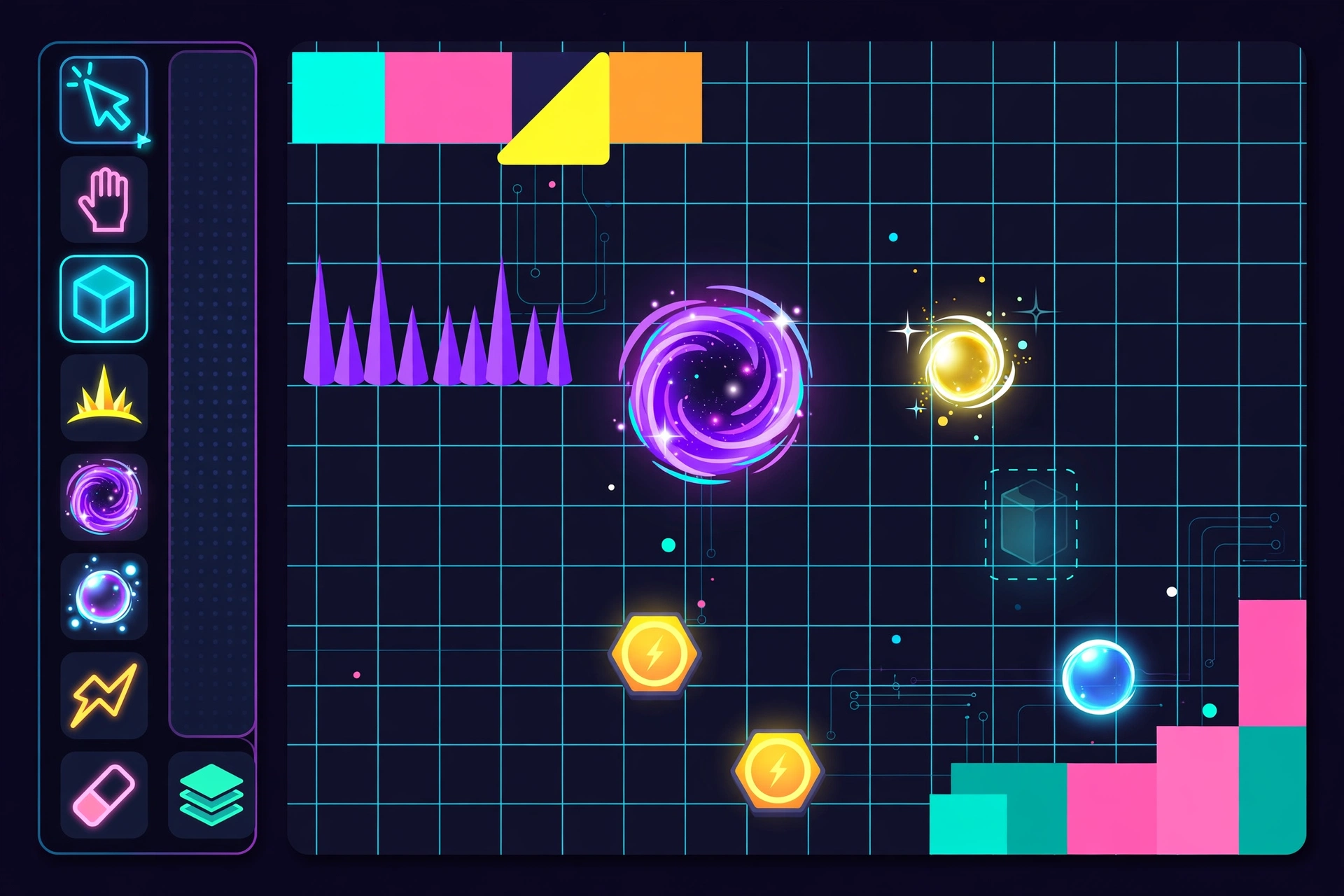
- Full 2.2 level editor: build levels from scratch with a grid, free move and fine-tune rotation, so every block lands exactly where you want it.
- Triggers and effects: move, rotate, pulse and alpha triggers, plus portals, orbs and camera controls to make levels feel alive.
- Physics controls: change gravity, speed and friction in your levels to create low-gravity sections, fast runs or slow puzzle stages.
- Custom music: add your own songs to a level and sync jumps and obstacles to the beat.
- Real-time playtest: test a level while you build it, fix awkward jumps on the spot, and keep editing without leaving the editor.
- SubZero levels included: play the classic SubZero stages Press Start, Nock Em and Power Trip, with Normal and Practice modes tracked separately.
- Save and share levels: export and import levels in .gmd and .gmd2 formats, keep backups, and save different versions of the same level.
- Custom icons and colors: pick your cube icon, colors and backgrounds to give your levels and your profile a personal look.
How to Download and Install GDPS Editor 2.2 APK on Android
Follow these 5 steps. The whole install takes only a few minutes.
- Tap the download button on this page to download the GDPS Editor 2.2.12 APK file. The file is 144.5 MB, so use Wi-Fi if you can.
- Open Settings on your phone, go to Security, and turn on “Install from Unknown Sources”. On newer Android versions, allow your browser or file manager to install unknown apps when asked.
- Open the downloaded file from your Downloads folder and tap Install.
- Wait for the install to finish, then tap Open, or find the GDPS Editor icon on your home screen.
- From the main menu, tap Create to start building a level, or tap Play to try the SubZero stages first.
Is GDPS Editor 2.2 APK Safe and Legal?
GDPS Editor 2.2 is a fan-made build, not an official RobTop Games release, and it is not listed on Google Play. That does not make it unsafe by itself, but it does mean you should be careful about where you get the file. Only download it from a trusted source, and check that the file is version 2.2.12 and 144.5 MB before you install it. You can also let Google Play Protect scan the file after install. Avoid “mod menu” or “unlocked premium” copies from random sites, because they are not official community builds and they can carry malware.
On the legal side, be clear about what this app is. It is built on the free Geometry Dash SubZero game and it is not a cracked copy of the paid Geometry Dash game, but it is still not affiliated with or endorsed by RobTop Games, and using a fan-made build may break the terms of service of the original game. Download and use the app at your own risk, and follow the laws in your country.
Troubleshooting: If the Install Fails
- App not installed: an older GDPS Editor build is usually still on the phone, or storage is full. Uninstall the old version, free up at least 400 MB, and install the new APK again.
- Parse error: the APK file is probably incomplete or damaged. Delete it and download 2.2.12 again from the button above.
- Install is blocked: unknown sources are switched off for the app that opened the file. Turn it on for that app, your browser or file manager, and tap the APK again.
- Level lags or stutters: turn on Low Detail Mode in the level settings and cut down on simultaneous pulse and alpha triggers, especially on older phones.
- Custom song is missing: check that the song ID matches an active track and that your internet connection is on when the level first loads.
FAQs – GDPS Editor 2.2 APK Download
Is GDPS Editor the official Geometry Dash app?
No. GDPS Editor is a fan-made level editor made by community developers. It is not made, owned or endorsed by RobTop Games, the maker of Geometry Dash.
Do I need to buy the official Geometry Dash game to use GDPS Editor?
No. GDPS Editor is free and based on the free Geometry Dash SubZero game, so you do not need the paid official game installed or purchased to use it.
Can I log in with my official Geometry Dash account?
No. GDPS Editor runs on its own, separate from the official servers, so your official account, levels and progress do not carry over to it.
How do I update GDPS Editor to the latest version?
Download the new APK from the button on this page and install it over the old version. If the install fails, uninstall the old build first, then install the new one.
Why is GDPS Editor not on Google Play?
Because it is a fan-made build and not an official RobTop release, it is not listed on Google Play. That is why it is supplied as an APK file.
Free direct download from apkcheers.io – no sign-up needed
Disclaimer: GDPS Editor 2.2 is a fan-made Geometry Dash level editor developed by community developers. It is not affiliated with, endorsed by, or connected to RobTop Games. apkcheers.io is not affiliated with either of them. Download and use the app at your own risk.